
Commercial access control · Maine, New Hampshire & Massachusetts
Access control systems for your business
Cunningham installs Sicunet, Brivo and Alarm.com access control for businesses in Maine, New Hampshire and Massachusetts. We also assess existing systems for takeover, repair and expansion.
Request an access control quote Call (800) 564-8273
An employee leaves. A tenant loses a fob. The cleaning crew needs evening access, but only to part of the building. A well-planned access control system makes those everyday changes manageable without collecting keys or handing out a shared door code.
Start with the doors, then choose the technology
The card reader is the visible part of the system. Reliable access also depends on the lock, closer, door alignment, power, wiring and the way people leave the building. A reader cannot correct a door that does not latch after someone walks through it.
For each opening, we want to understand who uses it, when it should be locked, who can change its schedule and what should happen if it stays open. A useful door plan includes:
- Public entrances: Should the lobby unlock on a schedule, or remain locked until an authorized employee arrives? What changes on holidays or a weather closure?
- Employee and service entrances: Which shifts, cleaners and delivery personnel need access? A contractor working for two weeks should not automatically receive permanent permissions.
- Interior doors: Decide whether stockrooms, records rooms, mechanical spaces or individual tenant areas need different access groups.
- Door condition and surroundings: Glass storefronts, older frames and fire-rated openings can require different hardware. Exterior readers and locking equipment must suit the exposure at that location.
- Exit operation: Review the opening as a complete assembly, including accessibility, required exit hardware and any necessary fire alarm interface.
For an older commercial building, a difficult cable route may matter more to the installation budget than the reader itself. In a multi-tenant property, the larger challenge may be assigning responsibility: the building manager controls the common entrance while tenants manage only the people and doors within their authority.
Cards, fobs, mobile credentials or PINs?
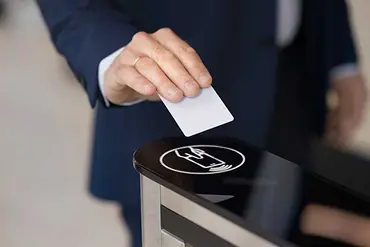
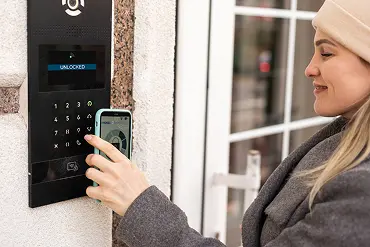
The best credential is one your staff can use consistently and your administrator can manage confidently. The reader, credential and controller must support the same technology; similar-looking fobs are not necessarily interchangeable.
| Option | Where it can fit | What to decide |
|---|---|---|
| Cards and key fobs | Staff or residents who want a dedicated credential without using a phone. | Credential technology, replacement process and how quickly a lost credential can be disabled. |
| Mobile credentials | Organizations that want to issue access to compatible phones. | Phone and reader support, enrollment, any credential charges and an alternative for someone without a suitable phone. |
| Individual PINs | Selected applications where carrying a credential is inconvenient. | Use person-specific codes where supported. Shared codes make it harder to remove one person's access or interpret an event history. |
A mobile credential used at a reader and an app command that unlocks a door remotely are different functions. Ask to see both if you need both, including what works when the phone or building loses connectivity.
Credential security and reader wiring are separate considerations. For a new installation or substantial upgrade, ask about OSDP reader communication with Secure Channel enabled. It can protect communication between compatible readers and controllers and supervise the connection. An OSDP label alone does not establish that encrypted communication has been configured.
Sicunet, Brivo and Alarm.com access control
We work with three access control platforms so the recommendation can account for your building, existing equipment and preferred way of managing users.
Sicunet
Sicunet Neptune supports browser-based access administration. Its Remote Management Cloud (RMC) option adds remote management while system data remains on site. We review the controller generation, licensing and network arrangement so the local and remote functions fit the project.
Brivo
Cloud-managed access for organizations that want to administer permissions, credentials and door activity across a building or multiple locations. We match the edition and compatible hardware to the functions you need.
Alarm.com
A useful option when you want compatible door access, intrusion and video functions in the same platform. Available integrations can connect access events with video and coordinate selected door and alarm actions.
The comparison should include recurring software and credential costs, administrator permissions, event-history needs and the process for adding another building. We will explain the proposed configuration rather than assume every feature advertised for a platform is included.
Make the opening and closing routine work
Door access and intrusion alarm control are different permissions. For example, a cleaner may be allowed through an entrance without being allowed into a separately armed stockroom. If the systems are integrated, decide explicitly which credential action may disarm which area. A door timetable should not be assumed to apply to every connected alarm partition or smart lock.
Also decide who receives a door-held-open alert and what they should do with it. An alert that goes to an unattended inbox will not solve a delivery door that is routinely propped open.
Access history helps explain when credentials were used. It is not, by itself, proof of who physically entered or a complete list of people still inside. Shared credentials and people following someone through a door can leave gaps. Appropriately positioned security cameras can add context when reviewing an incident.
Can Cunningham take over an existing access control system?
Yes. We take over Sicunet, Brivo and Alarm.com systems, as well as older nonproprietary systems, including suitable Linear, DSC MAXSYS and DMP installations. The equipment at your property determines what can stay, what needs updating and which functions can be supported.
A takeover is not automatically a full replacement. It also should not be a promise to keep every component before the system has been inspected. We separate the evaluation into three parts:
- Doors and field equipment: Check the locks, readers, door contacts, exit devices, wiring and power supplies for condition and compatibility.
- Controllers and administration: Identify models, software or cloud accounts, available administrative access, current support and the ability to obtain replacement parts.
- People and permissions: Review existing credentials, schedules and administrator roles, then plan the transfer so staff know how to get in and who to call.
Sometimes the sensible upgrade is a new controller with usable wiring and door hardware retained. In other cases, preserving an old reader or credential format would limit the security or features you are trying to gain. We will make those tradeoffs visible in the scope.
Plan the transfer of administration as carefully as the hardware. Agree who controls the account and recovery contact, how existing users and schedules will be checked, and when former administrators lose access. Test representative credentials before retiring the old management arrangement.
If you also want to move the building's alarm monitoring, see our alarm system takeover service. Access control administration and intrusion monitoring are related services, but they need their own compatibility review.
Plan for internet outages, power failures and safe exits
A network outage and a power failure are different events. Some controllers retain permissions and make local access decisions while the internet is unavailable; remote commands, newly changed permissions or cloud reporting may be affected. The proposed equipment and credential method determine the actual behavior.
Power planning must cover the controller and the equipment it operates, including locking hardware. We also review the intended operation when backup power is depleted. Do not assume that every electronic lock should behave the same way during a failure or a fire alarm.
For workplaces, OSHA's exit-route requirements generally require occupants to be able to open exit-route doors from inside without a key, tool or special knowledge. The specific locking arrangement also needs review under the building, fire and accessibility requirements that apply to the property. We coordinate the design and any required approvals with the appropriate project team and local officials.
Before handover: Test ordinary entry and exit, a revoked credential, an out-of-hours attempt, the holiday schedule and the documented outage behavior. Your administrator should also know how to add a user, remove one and recover access to the management account.
What affects the cost of commercial access control?
Door count is a starting point, not a complete price. Retrofitting an entrance with suitable existing electrified hardware is a different job from converting an older door with a difficult cable route.
- Door and frame condition, lock selection and any required repairs or preparation.
- Controllers, readers, credentials, cabling, power supplies and backup power.
- Network coordination, integrations, programming and administrator training.
- Any applicable permits, plan review and coordination with other trades.
- Ongoing software, mobile credential and service costs for the selected arrangement.
Tell us which doors matter first and what you expect to add later. That lets us compare a phased installation with a larger initial project without building in avoidable replacement work.
Common access control questions
Can we start with one door?
Yes. A single employee entrance or common entry can be a sensible starting point. Include future doors in the discussion so the controller, network and management approach have an appropriate expansion path.
Can we keep our existing cards or fobs?
Possibly. We need to identify the credential technology and format, the readers and the proposed controller. Reuse can save work, but it should be compared with the security and administrative benefits of changing credentials.
Can different tenants manage their own users?
That is a design requirement to establish early. The selected platform, service level and administrator permissions need to support the intended division of responsibility. Common entrances and shared spaces still need a clear owner.
Do you service access systems another company installed?
Yes, within the supported takeover scope described above. Send the brand and any model information you already have, along with the problem you want to solve. You do not need a complete equipment inventory to begin.
Tell us about the building and the doors
Share the property location, approximate number of doors and users, and whether you are planning a new installation, an expansion or a takeover. If the existing system has a brand name, include it.
We serve businesses and managed properties across our Maine, New Hampshire and Massachusetts service areas. For an NH project, our New Hampshire access control guide provides additional regional information.
Discuss an access control project Call (800) 564-8273
Need help with an existing fault? Request service, or call for time-sensitive assistance.
Planning several systems together? Our commercial security and fire services guide can help you define the wider project.
Platform references: Sicunet remote management, Brivo access control and Alarm.com business access control.
