
Business intrusion detection · Installation, upgrades & monitoring
Commercial security systems
Intrusion alarms, professional monitoring and practical control for the people who open and close your business. Cunningham designs, installs and services commercial security systems across Maine, New Hampshire and Massachusetts.
Request a commercial security quote Call (800) 564-8273
A warehouse with an early shift, a shop with a late cleaning crew and an office with several tenants cannot all follow the same arming routine. Your alarm should protect the right areas and make sense to the people who open and close the building.
Looking for fire alarms, cameras or door access? Our commercial services guide explains how the systems fit together. This page focuses on detecting intrusion and managing the business alarm.
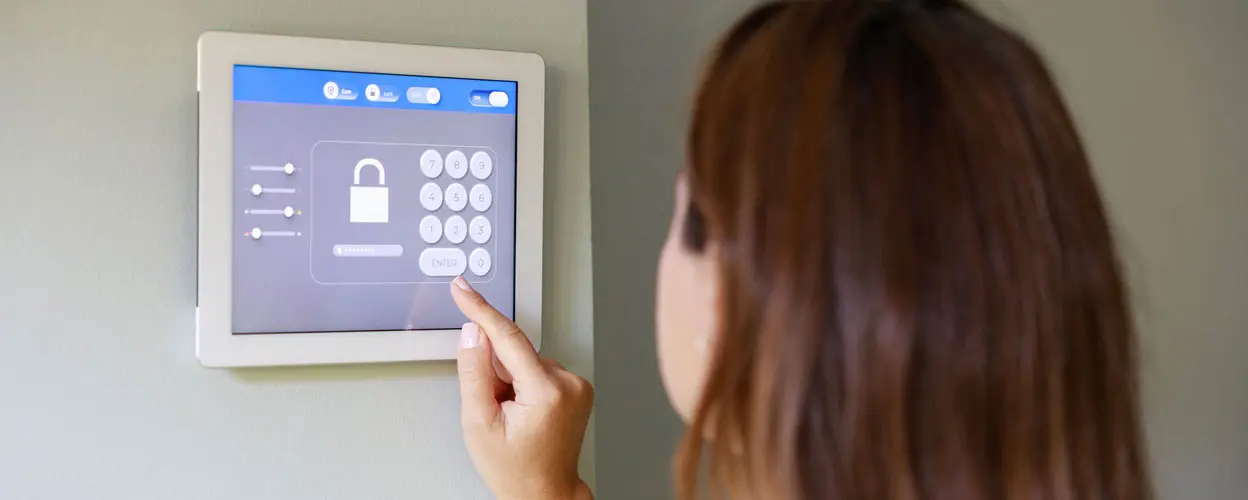
Build the alarm around a normal workday
We start by asking what happens before opening, during business hours and after the last person leaves. The answer determines which areas need detection, how the system should be divided and which events deserve a notification or monitoring response.
Retail and offices
Plan the public entrance, rear delivery door, stockroom or records area separately. Staff need a clear entry and exit routine, and managers need an easy way to remove a departing employee's alarm code.
Warehouses and workshops
Account for overhead doors, pedestrian doors, loading schedules and occupied work areas. Detector placement should reflect the finished shelving, equipment and normal movement through the space.
Shared buildings
One tenant may finish work while another is still inside. Where the equipment supports separate alarm areas, the system can be designed around those boundaries instead of treating the entire building as one room.
Seasonal and changing operations
A property with reduced winter hours needs a different schedule from the same business in peak season. Temporary staff, cleaners and contractors also need permissions that match the work they are doing.
These are planning examples, not fixed packages. The floor plan, construction, operating hours and concerns at your property determine the design.
Choose detection for the job it needs to do
More devices do not automatically mean better protection. A detector needs the right location, a clear purpose and programming that suits the space.
| Component | Purpose | Design consideration |
|---|---|---|
| Door and window contacts | Detect an opening at the protected door or window. | Choose hardware and mounting that suit the opening; name the zone clearly so an event identifies a useful location. |
| Motion detectors | Detect movement within selected interior areas. | Match detector technology and placement to the environment. Shelves, partitions and other obstructions can change coverage. |
| Glassbreak or specialized detection | Address suitable glazing or a particular asset protection need. | Select and test for the actual application; one sensor technology does not cover every type of glass or every room. |
| Control panel and keypads | Manage zones, alarm areas, users and system status. | Provide enough capacity for the planned scope and an interface staff can use without confusion. |
| Communicator and backup power | Carry signals to the monitoring center and support operation through an interruption. | Check the available communication paths and the power needed by the equipment on those paths. |
Tell us if your insurer, lease or organization requires particular protection, documentation or certification. Those requirements belong in the design brief before equipment is selected.
Wired, wireless or a combination?
Existing sound wiring may be worth keeping. Wireless devices can help where opening finished walls would be disruptive, while a hybrid design may use each approach where it makes sense. In older masonry construction, metal-clad spaces or a warehouse with changing inventory, radio coverage needs to be checked at the proposed device locations. The decision should also account for battery maintenance and future changes to the space.
Useful control for owners and managers
A commercial alarm should make it easier to answer practical questions: Is the building armed? Which user code was used to disarm it? Did the business close as expected? Is the rear door still open?
Depending on the selected panel, platform and service, options can include individual user codes, remote arming, opening and closing notifications, activity reports and alerts about selected sensors while the system is disarmed. Compatible Alarm.com systems can also support scheduled or automatic arming functions.
The details matter. A report that records a late closing, a notification to your phone and a monitoring-center action are three different services. We will establish what each event should do and who is responsible for responding.
Automatic arming needs a routine for overtime, cleaning and unexpected occupancy. For multiple locations, permissions should allow a store manager to handle that store without unnecessarily giving access to every site.
Keep alarm codes and door credentials coordinated
Access control decides who may unlock a door; the intrusion system decides how protected areas are armed and how alarm events are handled. With a suitable integration, selected credential actions can coordinate the two. Without one, staff need to understand both steps. Employee departures should trigger a review of door access, alarm codes and app permissions together.
Monitoring and communications deserve their own plan
Cunningham provides 24/7 professional alarm monitoring through Affiliated Monitoring, a UL Listed, TMA Five Diamond monitoring provider. The monitoring center receives alarm signals and follows the response instructions established for the account and the event type.
The usefulness of that response depends on accurate information: clearly named zones, current contacts, correct premises details and appropriate procedures. Police dispatch and arrival depend on the circumstances and local response policies; an alarm installation is not a promise of a particular arrival time.
For communications, we review the existing panel and the available cellular, internet or other supported path. A suitable dual-path arrangement can provide an alternate route if one connection fails. Cellular coverage must be checked, and an internet path depends on network equipment as well as the alarm panel.
A panel battery does not automatically keep the modem, router or network switch running. During planning, we identify which equipment needs backup power, how communication faults are reported and what the proposed system does when a connection is lost.
Where compatible cameras and monitoring services are included, video verification can give an alarm event additional context. A camera recording locally or sending clips to your phone does not automatically provide monitoring-center video verification.
Reduce nuisance alarms with design, testing and training
False alarms are not solved by one setting. Unreliable door closure, changes to a room, an unfamiliar cleaner or an outdated holiday schedule can each create trouble.
- Test the actual routes: Walk through opening, closing and authorized after-hours entry with the people who use the building.
- Review the finished space: Check detector coverage after shelving, furniture and equipment are in their normal positions.
- Use clear identities: Give users appropriate individual codes and name zones so the location is understandable.
- Keep the response information current: Review contacts and instructions when managers or operating hours change.
- Revisit repeated problems: A frequently troublesome zone needs investigation. Routine bypassing can leave a gap in the intended protection.
We also identify applicable local alarm registration or permit requirements during project planning. The requirements depend on the jurisdiction and the work; there is no single rule for every property across three states.
Already have a commercial alarm?
You may be able to improve monitoring, remote management or day-to-day reliability without replacing everything. Our alarm takeover evaluation considers the control panel, communicator, sensors, wiring, programming access and equipment condition.
Tell us what is prompting the change: an unsupported communicator, repeated faults, difficulty managing codes, a renovation or dissatisfaction with service. We can then distinguish necessary repairs from optional improvements and identify equipment worth retaining.
If a new tenant is moving into a previously protected space, review the old zone list against the new layout. A working keypad does not establish that the inherited system still matches the areas you need to protect.
What affects the price?
A meaningful commercial alarm quote needs a defined scope. The major factors are the protected openings and areas, panel capacity, reusable equipment, cable routes, wireless conditions, installation access and the monitoring and management functions selected.
We separate installation work from ongoing services so you can see what you are buying. Include any desired phasing, operating-hour restrictions and known insurance or landlord requirements when you request a proposal.
Other risks may warrant related systems. Cameras provide visual information; environmental detection can address selected water or temperature conditions. Commercial fire alarms require their own code-based design and approval. These functions should be coordinated without assuming one device or service does every job.
Commercial alarm questions
Can part of the building stay armed while people work elsewhere?
With an appropriate panel and design, separate alarm areas can be armed independently. We need to review shared doors, employee routes and permissions so an occupied area does not require staff to walk through an armed one.
Will the alarm still communicate if the internet goes down?
That depends on its communicator, configured paths, power and available signal. A supported cellular path may operate independently of the business internet connection. We will explain and test the proposed arrangement rather than assume the existing system has a backup path.
Can I receive an alert if someone forgets to arm?
Many compatible systems offer arming reminders, schedule-based notifications or automatic arming options. The chosen panel, service and business routine determine what is suitable. Include overtime and cleaning access in that discussion.
Let's plan the system around your operation
Send the property location, building use, approximate size and whether the project involves a new system or an existing alarm. A floor plan is helpful if you have one; you do not need a finished equipment list.
Discuss your commercial security project Call (800) 564-8273
See our regional service coverage, or request service for an existing system.
