
Security cameras · Maine, New Hampshire & Massachusetts
Security camera installation
Cunningham designs and installs security cameras for homes and businesses across Maine, New Hampshire and Massachusetts. Get the views, recording and remote access your property needs—from a few entrances to several buildings.
Plan my camera system Call (800) 564-8273
A camera should give you a useful answer when something happens. Who came through the door? What happened beside the parked car? Was the delivery left at the right entrance?
Serving New England since 1983. Explore our service areas in Maine, New Hampshire and Massachusetts.
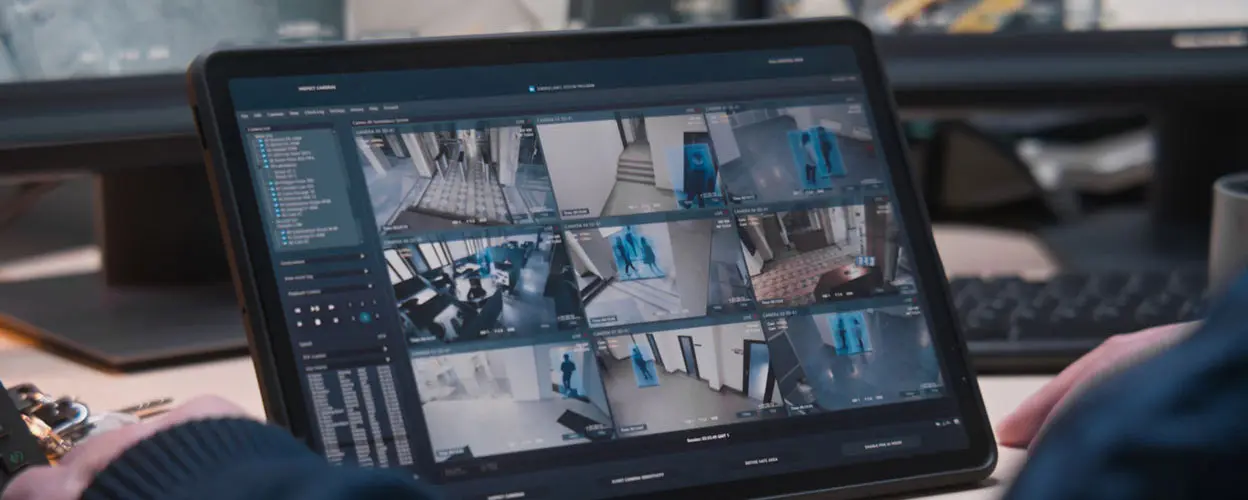
Start with the view you need
A wide view of a parking area and a clear view of someone entering a door are different jobs. A camera mounted high enough to show an entire yard may capture very little facial detail below it. We plan the system around the locations where useful details can actually be captured.
Homes and seasonal properties
See visitors at the entrance, check the driveway or garage, and review activity while you are away. We consider the route someone takes toward the house, available power, internet service and how you want to receive notifications.
Businesses and managed properties
Cover public entrances, loading areas, stockrooms and other important spaces. Identify who needs access to the video and how managers will find and export an incident without sharing a single administrator login.
Yards, gates and outbuildings
Distance, darkness and the route between buildings deserve attention early. A camera on the nearest wall may leave a gate too small in the picture; a better mounting point or a dedicated view can make the difference.
Business owners can use our business camera planning guide to connect those views with deliveries, access events and incident review.
For a closer look at equipment styles, our guide to security camera types explains where domes, bullets, panoramic cameras and PTZ cameras fit.
What goes into a useful camera plan?
| Part of the plan | What we need to establish |
|---|---|
| Coverage and detail | Which doors, paths or activity areas matter; the distance to the subject; and whether you need an overview or closer identifying detail. |
| Lighting and movement | How the view changes when the sun is behind an entrance, headlights arrive, lights switch off or people move through after dark. |
| Cabling and connectivity | Practical cable routes, camera power, network capacity and the connection to detached buildings or remote mounting points. |
| Recording and retention | Continuous video, event clips or both; how long footage should remain available; and who can retrieve and export it. |
| Alerts and response | Which events deserve a notification, who receives it, and whether professional video monitoring belongs in the project. |
| Future changes | Likely additions such as another entrance, a new tenant or a larger storage yard, so expansion is considered before the system is full. |
Clear footage after dark takes more than a night-vision label
A sharp image of an empty driveway does not prove that the system will capture someone walking across it. Exposure settings that brighten a scene can also blur a moving subject. Bright exterior lights, headlights and deep shade can change what a camera records.
For an important view, the meaningful check is a person or vehicle moving through the intended area under the lighting you expect. We consider camera position, illumination and settings together. If reading license plates is a project requirement, tell us at the outset; it deserves a dedicated design discussion rather than an assumption that a general overview camera will do it.
Plan for the property through a New England winter
Outdoor equipment needs to suit its actual location. An exposed coastal wall, a sheltered porch and an unheated outbuilding present different conditions. We review the selected model's temperature limits, its enclosure and mounting arrangement, and the protection of cable connections.
- Snow and roof runoff: consider where snow accumulates or slides from the roof, and whether it can obstruct a view or reach the mounting point.
- Changing surroundings: allow for leaf growth, seasonal parking and snowbanks that may block an otherwise useful angle.
- Nearby surfaces: light siding, soffits and other objects can reflect a camera's infrared light. Positioning matters as much as choosing a weather-rated camera.
- Access for maintenance: the lens or dome still needs inspection and cleaning. A location that is difficult to reach can make a minor issue unnecessarily expensive.
Our cold-weather camera guide covers the equipment and maintenance questions in more detail.
Recording, remote viewing and monitoring are separate choices
Recording provides a history to review. Remote viewing lets an authorized user check the system from elsewhere. Professional monitoring adds a defined response to eligible events. Having a camera app does not automatically include a person watching or responding.
Depending on the equipment, a system may use an on-site recorder, supported storage inside individual cameras, cloud event clips or a combination. We discuss retention before selecting storage. A system that keeps enough footage for a shop reviewed each morning may not fit a seasonal property visited every few weeks.
Outage planning also needs to cover the complete path: camera power, network equipment and storage. A functioning local recording system can continue without an internet connection in supported configurations, while off-site viewing or cloud uploads may be unavailable. Backup power must support the necessary equipment, not only the camera.
If you need events assessed when you cannot respond to your phone, explore video monitoring and virtual guard services. We can determine whether the site, cameras and coverage are suitable.
Improving an existing camera system
You do not need to know the answer before calling. Tell us what is frustrating you: poor night images, missing recordings, weak coverage, too many alerts or an app that no longer works as expected.
Existing cable, cameras and recording equipment may be useful, but compatibility and condition need to be checked. If possible, have the camera or recorder model numbers available. That helps separate a configuration issue from equipment that needs replacement.
For mixed-brand IP cameras, an ONVIF claim is a starting point. We check the exact camera and recorder or software client, their supported profiles, and the listed firmware versions. Live video compatibility does not establish that every analytic, audio or event function will carry across. The proposed combination needs to deliver the functions you actually plan to use.
For a business project, we can also discuss cameras alongside commercial intrusion protection and access control. Any connection between access events and video depends on the selected platforms.
Questions about professional camera installation
How much will an installed camera system cost?
The camera count is only part of the price. Cable access, mounting height, work between buildings, lighting needs, storage and optional services can change the project considerably. A useful quote identifies the intended views and recording arrangement so you can compare what is included.
Our guide to what professional camera installation should include gives you a practical checklist for comparing proposals and checking the finished system.
Can a wireless camera work where there is no power?
Some models use batteries, but a Wi-Fi connection alone does not mean a camera is battery-powered. We check both power and data connectivity for each location. Maintenance access matters especially when a camera requires recharging.
Can I watch the cameras from my phone?
Remote access is available with suitable systems and connectivity. We also consider user permissions and the process for saving an important clip. Those everyday tasks should be part of choosing the system.
Do you help with a system that is already installed?
We can discuss your existing equipment and the problem you want to solve. Model, condition and platform support determine the options. Current Cunningham customers with a service issue can request camera service.
Tell us what you need to see
Share your property location, the areas that matter most and whether you already have cameras. We will help you compare a practical installation or upgrade plan.
Request a camera quote (800) 564-8273
Still comparing options? Read our home security camera buying guide.
Technical references
For the underlying design considerations, see Axis guidance on image quality and infrared reflections, plus Alarm.com's model-specific temperature limits and continuous recording requirements. For mixed-brand systems, consult the ONVIF conformant-product database and profile definitions.
