
Ring Virtual Guard vs. Alarm.com Video Monitoring: Which Is Better?
Updated July 2026.
Cunningham Security has installed and supported Alarm.com systems for thousands of subscribers across Maine, New Hampshire, and Massachusetts. We also provide professionally monitored video through Affiliated Monitoring. This comparison is based on published product information and our experience designing, programming, monitoring, and servicing integrated security systems.
Key takeaways
- Choose Ring Virtual Guard when you already use compatible Ring equipment and want a simpler, consumer-oriented service with a published monthly price.
- Consider Alarm.com video monitoring through Cunningham when you want cameras, intrusion detection, access control, lighting, schedules, and professionally monitored video to work as one system.
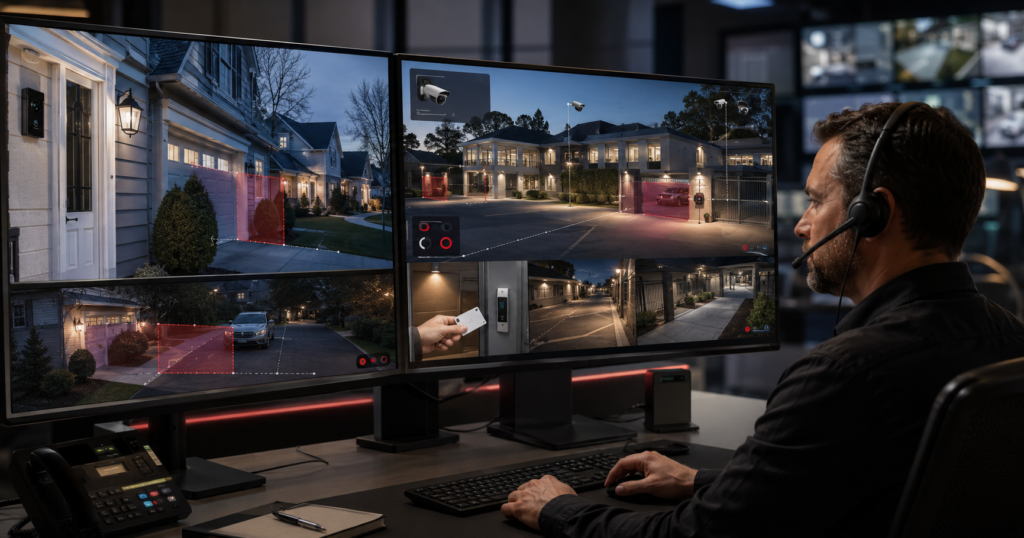
- Alarm.com is more customizable. Its analytics can distinguish people, vehicles, and animals; apply tripwires or ground zones; evaluate direction and loitering; follow schedules; and coordinate with other system conditions.
- Equipment selection is broader with Alarm.com. Options include indoor, outdoor, doorbell, floodlight, battery, bullet, dome, turret, Wi-Fi, PoE, and commercial recording solutions. Feature compatibility varies by model and service plan.
- Neither platform is universally better. Property layout, normal traffic, event volume, equipment, network conditions, and response expectations determine which approach is the better value.
Ring Virtual Guard vs. Alarm.com Video Monitoring: The Quick Answer
Ring is easier to buy; Alarm.com is easier to engineer around a complex security need.
Ring Virtual Security Guard is attractive when a customer already owns eligible Ring cameras, prefers a familiar app, and wants trained operators to review qualifying camera events. Ring publishes a clear base price of $99 per month per location and includes 175 monitored events per billing cycle. Customers can enable Extra Events at Ring’s current published price of $0.99 per additional event; without that option, monitoring pauses after event 175 until the next billing cycle.
For a detailed evaluation of Ring’s pricing, event allowance, monitoring center, and privacy controls, read our full Ring Virtual Security Guard review. This article focuses on how Ring compares with an Alarm.com-based monitored-video system.
How Ring Virtual Guard and Alarm.com Video Monitoring Work
How Ring Virtual Security Guard works
Ring Virtual Security Guard is an event-based professional video monitoring service. Customers select eligible cameras and control when monitoring is active. When the Ring system is in an eligible mode and a monitored camera detects a person, the event can be sent to a trained Rapid Response Monitoring specialist for review.
Depending on the event and the customer’s settings, the operator may use two-way talk, activate a siren, contact the customer or an emergency contact, or request emergency response. Operators are not continuously watching every camera. Monitoring is initiated by qualifying events on enrolled devices.
Ring’s standardized design is part of its appeal. A customer can purchase compatible Ring products, enroll selected cameras, establish modes and zones, and manage the service through the Ring platform. The tradeoff is that the service follows Ring’s equipment requirements, event model, available controls, and published subscription structure.
How Alarm.com video monitoring works
“Alarm.com video monitoring” can describe several related but different capabilities:
- Smart video alerts and recording: Cameras use analytics to identify relevant activity and send the customer a clip or notification.
- Video verification: When an intrusion alarm occurs, an operator can review associated video to help determine whether the alarm appears genuine.
- Remote video monitoring: Selected analytics events can be delivered to trained monitoring-center operators for proactive review and response.
- Video guard tours: Operators can perform scheduled or semi-randomized checks of designated cameras, when included in the designed service.
These services should not be treated as interchangeable. A camera that sends a push notification to a phone is not automatically being watched by a professional operator. A properly designed system identifies which cameras are enrolled, which rules create customer alerts, which events reach the monitoring center, when those rules run, and what the operator is authorized to do.
For a closer explanation of the alarm-triggered workflow, see how video verification works with alarm systems.
Cunningham uses Alarm.com as a core platform for residential and commercial systems and offers broader video monitoring and virtual guard services when a property requires live intervention, customized procedures, or more advanced equipment.
Ring Virtual Guard vs. Alarm.com Video Monitoring Comparison
| Feature | Ring Virtual Security Guard | Alarm.com Video Monitoring with Cunningham |
|---|---|---|
| Service model | Standardized Ring subscription for eligible devices at one location | Professionally designed service using selected Alarm.com features, cameras, monitoring rules, and response procedures |
| Published monitoring price | $99 per month per location, plus applicable taxes | Cunningham Perimeter Control monitoring starts at $99 per month for a qualifying property; equipment, installation, event volume, and advanced requirements are quoted |
| Operator-reviewed events | 175 included per billing cycle; additional events can be enabled at Ring’s published per-event price | Not structured around Ring’s fixed 175-event consumer allowance; expected activity and operator workload are considered during design and pricing |
| Monitoring partner | Rapid Response Monitoring | Affiliated Monitoring for Cunningham’s Alarm.com remote video monitoring services |
| Analytics | Person-triggered monitoring with Ring zones, modes, and supported intelligent features | Person, vehicle, animal, and “Other” clip classification, plus tripwire, ground-zone, direction, loitering, schedule, and object-size controls on compatible equipment |
| Intrusion-alarm integration | Integrated within the Ring Alarm and Ring camera ecosystem | Can combine compatible security panels, sensors, arming status, video verification, cameras, lights, locks, and automation in the Alarm.com platform |
| Access-control integration | More limited; not designed as a full commercial access-control platform | Alarm.com for Business can combine access history, corresponding video, intrusion status, user management, schedules, and door-control functions |
| Camera selection | Ring doorbells and indoor, outdoor, spotlight, and floodlight cameras, plus limited support for qualifying third-party ONVIF cameras | Alarm.com indoor, outdoor, doorbell, floodlight, battery, bullet, dome, turret, Wi-Fi, PoE, and commercial recorder options; supported third-party cameras are possible in certain commercial designs |
| Installation and programming | Primarily customer-configured, with installation help available | Cunningham designs placement, selects equipment, programs analytics and response rules, tests the system, trains users, and provides ongoing service |
| Local support | Ring’s national support structure | Local Cunningham technicians and support staff across Maine, New Hampshire, and Massachusetts |
| Best fit | Existing Ring users with a straightforward, relatively low-traffic location | Customers who want customization, equipment flexibility, integrated security, local service, or protection for a more active or complex property |
Prices and product features can change. Alarm.com capabilities depend on the selected service package, compatible equipment, security provider, monitoring center, and system design. Cunningham’s service is not a promise of unlimited event handling; expected event volume and operator resources affect the recommended plan and quoted price.
Alarm.com Video Analytics and Custom Event Rules
Alarm.com’s greatest advantage in this comparison is not a single camera specification. It is the ability to define what activity matters at this property.
According to Alarm.com’s official Video Analytics information, compatible cameras distinguish among people, animals, and vehicles. Alarm.com can also classify a recorded clip as Other when an object was detected but could not be confidently classified as one of those categories.
Is “Other” the same as an unknown event?
In everyday conversation, someone may call this an unknown or unclassified object. Alarm.com’s actual term is Other. It means the analytics detected activity but did not confidently verify the same person, animal, or vehicle classification during its classification process.
That category can be useful when reviewing saved video, but it also illustrates an important principle: analytics are decision tools, not infallible human judgment. Proper camera placement, lighting, target size, view angle, rule boundaries, and ongoing adjustment all affect results.
Tripwires, ground zones, and loitering rules
Compatible Alarm.com cameras can use virtual tripwires and ground zones instead of treating all visible motion equally.
- A tripwire can detect a person or vehicle crossing a defined line, including a selected direction of travel.
- A ground zone can monitor a defined area and require an object to remain there for a selected amount of time before creating an event.
- A rule can distinguish people, vehicles, and animals so a deer in a yard does not need to be handled like a person approaching a door.
- Compatible rules can run continuously or only on selected days and times.
- Depending on the connected equipment, rules can use exceptions related to alarm arming status or a user’s geofence.
- Compatible lights can turn on when a selected analytics event occurs.
- Alarm.com Perimeter Guard can use a camera’s light and warning sound on supported models to deter unwanted behavior.
Alarm.com’s current customer documentation permits up to three Video Analytics rules per compatible camera, with each rule using a tripwire or ground zone. That is enough to create materially different conditions within one view—for example, one rule for a vehicle entering a driveway, another for a person walking toward a side entrance, and another for loitering near stored equipment.
Why programming matters more than the feature list
A feature only improves security when it is configured correctly. A camera pointed at a public sidewalk may detect dozens of legitimate pedestrians. A camera watching the inside of a closed gate can treat nearly any after-hours person as unusual. A tripwire drawn across the wrong portion of a driveway may capture passing traffic, while a carefully placed line can identify only vehicles entering the private property.
This is where Cunningham’s field experience matters. We evaluate the normal flow of residents, employees, visitors, deliveries, animals, and vehicles before deciding which events should be recorded, sent to the customer, or delivered to an operator. Learn more about why boundaries and event quality matter on our Cunningham Perimeter Control page.
Secured vs. Open Properties: Why Layout Changes the Comparison
A camera can classify a person correctly and still create an event that is not useful. A delivery driver, neighbor, employee, tenant, or pedestrian is a real person—not a false detection—but may be ordinary activity. This is better described as a nuisance or non-actionable event than a technical false alarm.
A gate, fence, enclosed yard, private courtyard, or clearly defined access point gives analytics and operators more context. A person crossing into a closed equipment yard at 2:00 a.m. is inherently more unusual than a person walking through an open parking lot beside a public sidewalk. Controlled boundaries therefore help produce fewer, more meaningful operator events.
This affects Ring and Alarm.com differently:
- With Ring, ordinary person events can consume the 175 included-event allowance or create additional charges when Extra Events are enabled.
- With Alarm.com, professional programming can use tripwires, direction, ground zones, loiter duration, object type, schedules, arming status, and other context to isolate the activity that matters.
- With either platform, poor placement or an overly broad detection zone can overwhelm users and operators with legitimate but unimportant traffic.
Alarm.com does not make an open property magically quiet. The system still needs a design that points cameras inward where possible, excludes roads and sidewalks, uses normal operating schedules, and separates public areas from private areas. In some applications, the best improvement is physical—a gate, fence, controlled entrance, or better-defined pedestrian route—rather than another software setting.
Why Alarm.com Alarm, Video, and Access Control Integration Matters
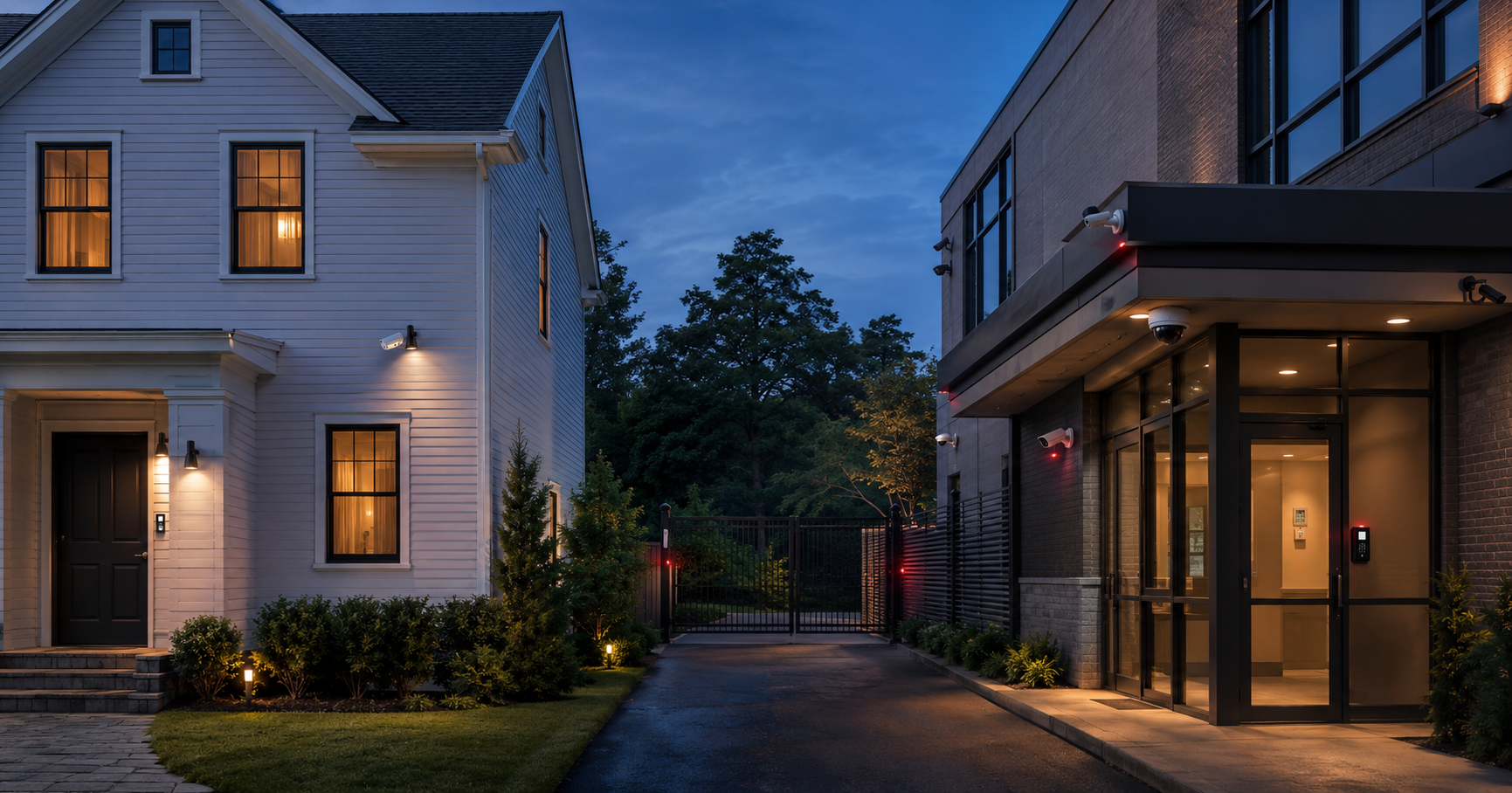
A standalone camera knows what it can see. An integrated security platform can also know whether the alarm is armed, which door was used, whose credential was presented, whether the event occurred during an approved schedule, and which automated response is appropriate.
Alarm.com’s official business access control information describes a cloud-based platform that combines access control with alarm and video integration. Users can move from an access-history event to corresponding video, manage credentials and schedules, remotely control permitted doors, and create automation involving the intrusion system.
A practical integrated-security example
Consider a commercial building with a fenced equipment yard, employee access control, an intrusion alarm, exterior lighting, and monitored cameras:
- During normal business hours, employees use assigned credentials and routine vehicle traffic is expected.
- At closing, the access schedule changes and the intrusion system is armed.
- After hours, a camera detects a person crossing a virtual line inside the secured yard—not a person walking along the public sidewalk.
- The analytics event can be sent for operator review under the property’s monitored-video plan. The operator receives the camera context and follows Cunningham’s documented response instructions.
- If the event appears unauthorized, the operator can use an approved warning or two-way talkdown on compatible equipment, contact designated people, and escalate when appropriate.
- If an access credential was used, the business can review the access event and corresponding video. If a door was forced or opened outside policy, the access and intrusion information provide additional context.
- Supported automation can turn on lights, while approved operator property actions may control connected devices when those functions are included and authorized.
The value is not that every available action should occur automatically. The value is that Cunningham can select the right conditions and document the right response for the property. A residence, marina, construction yard, warehouse, multifamily building, and retail store should not all use the same event logic.
For businesses considering a connected door solution, see our access control systems and commercial security systems services.
Ring vs. Alarm.com Camera and Equipment Options
Ring camera options
Ring offers a broad and familiar consumer camera family, including video doorbells, indoor cameras, outdoor cameras, spotlight cameras, and floodlight cameras. For many homes and small businesses, that covers the needed form factors. The products are widely available, the app is familiar to many customers, and new devices can be relatively easy to add.
Ring also supports certain ONVIF-compatible cameras through Ring Alarm Pro, but eligibility and features are conditional. Customers should verify the specific camera and Virtual Security Guard requirements rather than assuming any network camera can receive the full Ring feature set.
Alarm.com camera options
Alarm.com’s current hardware range spans both residential and commercial applications. Depending on the service and technical requirements, available categories include:
- Indoor Wi-Fi cameras with options such as two-way audio, privacy controls, or integrated lighting
- Wired and battery-powered video doorbells
- Outdoor Wi-Fi and battery cameras
- Outdoor spotlight and floodlight cameras, including models well suited to driveways and garage areas
- PoE bullet, mini-bullet, dome, and turret cameras
- Fixed-lens and varifocal commercial models
- Stream Video Recorders and Commercial Stream Video Recorders for continuous local recording and cloud-connected management
- Supported third-party ONVIF cameras and VAPIX by Axis in qualifying commercial recorder designs
This does not mean every Alarm.com camera supports every feature. Video Analytics, two-way talkdown, warning sounds, continuous recording, remote video monitoring, and recorder compatibility vary by camera, firmware, and service package. Professional selection helps prevent the common mistake of choosing a camera by resolution alone and discovering later that it cannot perform the required monitoring function.
Cunningham can also use higher-end camera platforms when a site’s resolution, distance, low-light performance, retention, cybersecurity, or scale exceeds the best fit for a standard Alarm.com camera package. Our broader security camera systems are designed around the application rather than a single brand.
Live Operator Monitoring: Ring vs. Cunningham and Affiliated
Who monitors Ring Virtual Guard?
Ring uses Rapid Response Monitoring for Virtual Security Guard. Rapid Response is an established professional monitoring company with U.S. monitoring facilities and recognized industry credentials. Central-station quality is not a reason to dismiss Ring. The more meaningful comparison is how events are created, how the system is designed, what the operator can do, and who supports the customer when the system needs adjustment.
How Alarm.com remote video monitoring can respond
Alarm.com’s remote video monitoring platform can flag configured person or vehicle events for monitoring-station operators. Alarm.com’s published partner documentation describes operator access to event clips and Live View, two-way talkdown on select cameras, manually triggered warning sounds, dispatch escalation, and authorized property actions such as turning on lights or unlocking doors. Cameras can be enrolled individually, and operator actions are recorded in the customer’s activity feed.
Cunningham’s monitoring relationship with Affiliated
Cunningham’s monitored-video services are supported by Affiliated Monitoring’s InView interactive video monitoring. Affiliated supports Alarm.com through a native monitoring integration and provides video verification, analytics-event review, two-way talkdown, video guard tours, wide-area monitoring, customized response procedures, and other advanced services.
Affiliated describes itself as the first UL-listed video monitoring center partner and operates mirrored video-enabled monitoring centers in New Jersey and Texas. Through Cunningham’s Select Partner relationship, Cunningham accounts can access a select group of Affiliated’s most experienced video-monitoring operators.
Cunningham adds the local layer around that monitoring capability. We assess the property, select and install the equipment, aim the cameras, establish zones and schedules, program the connected alarm or access functions, document operator instructions, train users, and remain available to service or refine the system.
That ongoing adjustment is important. When a monitored camera creates too many events, the cause may be the field of view, lighting, target size, landscaping, detection boundary, arming schedule, normal employee traffic, or the response rule. A local provider that understands both the physical site and the software can diagnose the entire chain.
Ring vs. Alarm.com Video Privacy and Footage Access
Any cloud-connected, professionally monitored video service requires carefully authorized systems and people to process some video or event data. A responsible comparison should not imply that live monitoring happens without any data leaving the camera.
Ring publishes meaningful operator-level controls. Customers choose enrolled cameras and monitoring modes. Ring says Virtual Security Guard operators can access a camera’s Live View only during a qualifying event and cannot view the customer’s general Event History or download, save, or share videos through the service.
Alarm.com likewise allows remote video monitoring to be enabled camera by camera. Its operator documentation says operators can access clips only from enrolled cameras, customer access can be modified, and actions taken through the monitoring console appear in the customer’s activity feed. The Alarm.com platform, Cunningham as the authorized service provider, and Affiliated as the selected monitoring center must process the information needed to provide the configured service.
Cunningham applies a narrow service-purpose policy to customer information and video. We do not sell customer personal information, use customer footage for advertising or unrelated data purposes, or voluntarily provide footage to outside parties. Authorized technology and monitoring partners may process video only as needed to deliver, secure, troubleshoot, and support the service. Customer instructions, applicable terms, retention settings, emergency procedures, and legal requirements govern access and disclosure.
Customers evaluating either platform should ask five practical questions: Which cameras are enrolled? What event permits operator access? How long is footage retained? Which companies process it? Who controls sharing and disclosure?
Which Is Better for Your Property?
Ring Virtual Security Guard may be the better choice if:
- You already own compatible Ring cameras and Ring Alarm equipment
- You want a relatively simple, self-directed setup
- Your property has straightforward camera views and predictable activity
- You expect to stay within 175 operator-reviewed events or are comfortable enabling additional events
- You prefer Ring’s national app, product, and support ecosystem
- You do not need commercial access control, complex automations, or a professionally engineered camera network
Alarm.com video monitoring through Cunningham may be better if:
- You want cameras, intrusion sensors, arming status, locks, lights, and access control to work together
- Your property needs custom tripwires, ground zones, loitering rules, schedules, or object classifications
- You need bullet, dome, turret, floodlight, doorbell, Wi-Fi, PoE, or commercial recorder options
- Your property is active or complex and should not be forced into Ring’s fixed 175-included-event model
- You want professional camera placement, programming, testing, and a documented operator response plan
- You value local support from the company responsible for the complete installed system
- You want a provider with experience supporting thousands of Alarm.com subscribers
- You may need a higher-end camera platform or a hybrid design as requirements grow
Alarm.com is not automatically the right answer for every customer. A professionally installed and integrated system may have a higher initial cost and requires deliberate design. Ring’s simplicity is a real advantage for a straightforward property. The goal is not to buy the longest feature list; it is to select the system that will reliably identify meaningful activity without creating an unmanageable volume of routine events.
Final Verdict: Is Ring or Alarm.com Better for Video Monitoring?
Ring Virtual Security Guard is a credible service and a sensible choice for many existing Ring customers. Alarm.com video monitoring is the stronger overall approach when customization, integration, equipment choice, and professional support matter more than a standardized consumer package.
Ring combines compatible Ring cameras, person-triggered operator review, talkdown, notifications, and emergency escalation in a clear subscription. Alarm.com can go further by treating video as one part of an integrated protection system. Camera analytics, alarm status, access events, user schedules, connected lights, locks, recorders, and monitoring procedures can be designed to reinforce each other.
For Cunningham customers, the advantage is not Alarm.com software alone. It is Alarm.com technology combined with experienced local design, thousands of supported Alarm.com accounts, Affiliated Monitoring’s specialized video operators, and a team that remains accountable for installation and ongoing service. Customers can also use Cunningham for broader Alarm.com monitoring and app support.
If your main question is whether an alarm-triggered camera clip can improve dispatch decisions, our guide to Alarm.com cameras for video verification explains that narrower use case. For platform features and camera performance, see our complete review of whether Alarm.com is good for cameras.
Ring Virtual Guard vs. Alarm.com Video Monitoring FAQs
Is Alarm.com video monitoring better than Ring Virtual Guard?
Alarm.com is generally better for customers who need custom analytics, professional design, access control or alarm integration, broader camera options, and local support. Ring may be better for an existing Ring customer who wants a simpler standardized service.
Does Alarm.com offer live professional video monitoring?
Yes. Alarm.com supports remote video monitoring that can send configured camera events to monitoring-station operators. Depending on the camera and service design, operators may review video, use Live View, provide talkdown or warning sounds, follow a call tree, and escalate for response. Standard Alarm.com video alerts alone do not mean a live operator is monitoring the camera.
Can Alarm.com cameras identify people, vehicles, and animals?
Compatible Alarm.com cameras use Video Analytics to distinguish people, vehicles, and animals. Clips can also be classified as Other when activity is detected but cannot be confidently classified in one of those categories.
Can Alarm.com video work with an access control system?
Yes. Alarm.com for Business integrates access control with video and intrusion functions. Users can move from access-history events to corresponding video, manage credentials and schedules, control permitted doors, and coordinate access and alarm automations. Exact functions depend on the installed equipment and programming.
Does Alarm.com have Ring’s 175-event monthly limit?
Cunningham’s Alarm.com monitored-video service is not structured around Ring’s public allowance of 175 included operator-reviewed events. That does not mean every plan provides unlimited events. Cunningham considers expected event volume, camera count, schedules, site activity, and required operator resources when designing and pricing the service.
Can Ring cameras be used with Alarm.com?
Generally, Ring-branded cameras and Alarm.com operate as separate ecosystems. Some third-party ONVIF cameras can be integrated into qualifying commercial Alarm.com recorder designs, but compatibility must be verified by model and does not imply that Ring cameras will provide Alarm.com features.
Who monitors Cunningham’s Alarm.com video systems?
Cunningham uses Affiliated Monitoring for Alarm.com remote video monitoring. Affiliated provides specialized video operators, video verification, analytics-event response, two-way talkdown, guard tours, and customized procedures through its monitored-video platform.
Does Cunningham use customer video for advertising or sell customer information?
No. Cunningham does not sell customer personal information or use customer footage for advertising or unrelated purposes. Authorized technology and monitoring partners process video only as needed to provide and support the selected service, subject to customer instructions, applicable terms, and legal requirements.
Get an Integrated Video Monitoring Plan from Cunningham
A useful monitored-video system begins with the property—not a product box. Cunningham will review the areas you need to protect, normal people and vehicle traffic, existing alarm or access equipment, network conditions, lighting, camera locations, recording needs, and the response you expect from an operator.
We can recommend an Alarm.com design, a higher-end camera platform, or a combined solution based on the actual risk. Cunningham Security has protected New England homes and businesses since 1983 and provides local installation and support throughout Maine, New Hampshire, and Massachusetts.
Request a video monitoring and perimeter-control quote or contact Cunningham Security to discuss your property.
All trademarks are the property of their respective owners. Product availability, compatibility, prices, policies, and service features can change. Security cameras, analytics, alarms, access control, and monitoring cannot prevent every incident. Detection and response depend on equipment, visibility, lighting, connectivity, configuration, operator access, customer instructions, and local emergency-response conditions.
