
What’s New in the Qolsys IQ Panel 5? Key Changes from IQ Panel 4
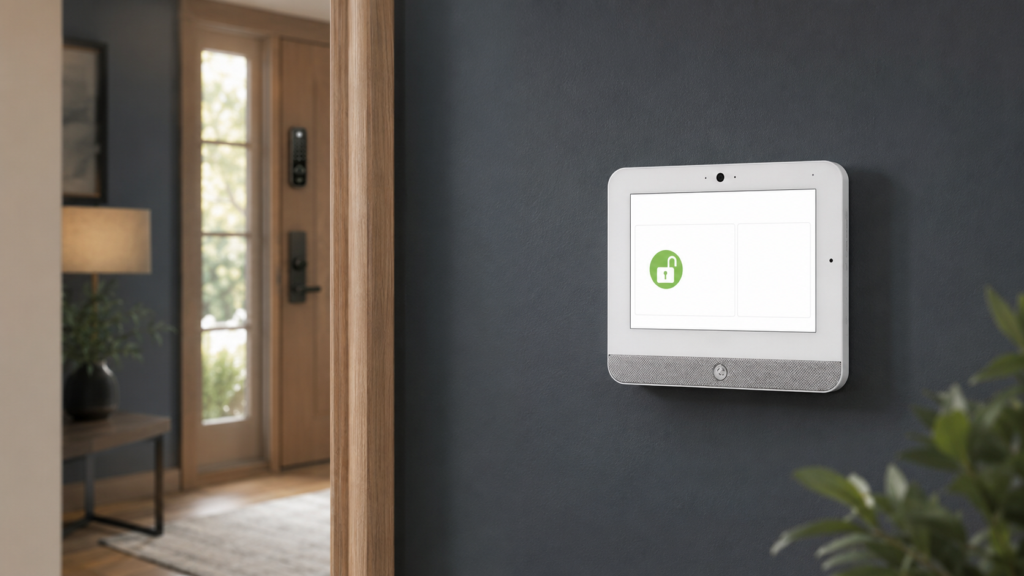
The Qolsys IQ Panel 5 is a platform modernization more than a reinvention of how a Qolsys alarm system works. It retains the familiar 7-inch touchscreen, Alarm.com integration, 128 security-zone capacity, four partitions, cellular and Wi-Fi communication, and more than 24 hours of rated backup power. Underneath that familiar experience, it moves to Android 14, a Qualcomm Dragonwing processor, 32GB of storage, built-in PowerG+, a modular radio-card design, Z-Wave 800-Series with Long Range support, and a new 13MP PortraitView panel camera.
The modular architecture may be the most consequential change. Instead of manufacturing numerous fixed panel combinations, Qolsys can use built-in PowerG+ and configurable daughter cards for a compatible legacy security frequency, Zigbee, or Ethernet. That gives an experienced installer more ways to match the panel to a new system, a takeover, or a specialized project.
That does not mean every IQ Panel 4 owner should immediately replace a working panel. The IQ Panel 4 remains a capable, mature Alarm.com platform. The case for IQ Panel 5 is strongest in new installations, older-panel upgrades, projects that benefit from its radio flexibility, and systems that can use its expanded automation hardware.
Published July 2026. This article is based on the official Qolsys IQ Panel 5 product page, specification sheets, comparison charts, and IQ Panel 5 software-version 5.0 documentation available at the time of writing. Product availability, supported integrations, firmware behavior, and service features can change.
Cunningham Security has extensive experience installing and supporting Qolsys and Alarm.com systems for homes and businesses across Maine, New Hampshire, and Massachusetts. We support thousands of Alarm.com subscribers. Our analysis below separates published specifications from practical conclusions; it does not assume that a new model number makes every specification better.
IQ Panel 5: the short version
- Biggest long-term change: Android 14, a newer Qualcomm platform, and double the published internal storage create more room for future software and integrations.
- Biggest installer change: PowerG+ is built in, while two expansion positions support eligible legacy RF, Zigbee, or Ethernet configurations.
- Biggest automation change: The IQ Panel 5 explicitly supports Z-Wave 800-Series with Long Range and publishes a capacity of up to 167 Z-Wave devices, plus up to 100 PowerG automation devices.
- Most visible change: A 13MP PortraitView camera replaces the IQ Panel 4’s 8MP FlexTilt camera.
- What is familiar: The display size and resolution, 128 security zones, four partitions, 242 user codes, dual-path LTE/Wi-Fi communication, Alarm.com integration, and rated backup time remain broadly familiar.
- Upgrade verdict: Compelling for many new systems; optional for a healthy IQ Panel 4 unless a specific new capability solves a real need.
The Right Way to Evaluate the Qolsys IQ Panel 5
The IQ Panel 5 is new enough that a conventional “long-term review” would overstate what anyone can know. Published documentation can tell us its design, specifications, compatible technologies, and intended workflows. It cannot yet provide the same depth of multi-year field history that exists for IQ Panel 4.
For that reason, this article focuses on three more useful questions:
- What changed in the hardware and radio architecture?
- What do those changes mean for an actual installation or takeover?
- Which familiar IQ Panel 4 strengths remain—and when is there no urgent reason to upgrade?
If you want a broader evaluation of the current generation, including advantages, limitations, and ownership considerations, read our existing Qolsys IQ Panel 4 review. For the larger brand-level question, our separate guide asks whether a Qolsys security system is good. Keeping those questions separate lets this page concentrate on the IQ Panel 5 changes.
IQ Panel 5 vs. IQ5 Hub and IQ5 NS
“IQ Panel 5” and “IQ5 family” do not mean exactly the same thing. Qolsys’s current family comparison shows three related products:
- IQ Panel 5: The flagship 7-inch touchscreen model. It includes the PortraitView panel camera, built-in panel glass-break and motion detection, two-way voice capability, and the fuller audio configuration.
- IQ5 Hub: A cost-conscious touchscreen member of the family that retains core security, automation, Alarm.com, Live View, and Live Answer functions while omitting some flagship hardware.
- IQ5 NS: The no-screen model, intended for applications where control is handled through other interfaces and the full touchscreen is unnecessary.
All three use the newer processor platform, built-in LTE/Wi-Fi dual-path communication, expansion slots, PowerG+, Z-Wave 800-Series Long Range, Bluetooth 5.0 + LE, and a rated 24-hour backup battery, according to the published IQ5 family comparison chart.
This article is specifically about the flagship IQ Panel 5. That distinction matters when comparing quotes: two systems described casually as “IQ5” may use different members of the family.
Qolsys IQ Panel 5 vs. IQ Panel 4: Specifications That Matter
| Feature | IQ Panel 4 | IQ Panel 5 | Practical significance |
|---|---|---|---|
| Operating platform | Android 9 | Android 14 | A substantially newer embedded software foundation; this is not an open consumer tablet. |
| Processor and storage | Qualcomm Snapdragon 8-core SOM; 16GB NAND | Qualcomm Dragonwing quad-core SOM; 32GB NAND | Newer architecture and double the storage. Core count alone does not determine real-world speed. |
| Display | 7-inch, 1280 × 800, 300 cd/m² | 7-inch, 1280 × 800, 300 cd/m² | Familiar size and published display specification rather than a larger or higher-resolution screen. |
| Panel camera | 8MP, 120°, FlexTilt | 13MP, 120°, PortraitView, fixed focus | Higher resolution and a revised viewing approach with no manual tilt adjustment. |
| Security radio architecture | PowerG plus model-dependent legacy RF combinations | PowerG+ built in; daughter-card architecture for an eligible legacy frequency and other expansion | More configurable manufacturing and takeover design, but the correct card still matters. |
| Legacy wireless support | Model dependent: 319.5, 345, or 433 MHz variants | One compatible legacy frequency through the selected SRF daughter card | Existing sensors may be reusable, but mixed legacy frequencies are not automatically solved. |
| Z-Wave | IQ Panel 4 specification sheet lists 700-Series and up to 137 devices | 800-Series, Long Range, up to 167 devices | Newer controller and higher published capacity; Long Range requires compatible devices. |
| PowerG automation | Not separately quantified on the IQ Panel 4 specification sheet reviewed | Up to 100 devices: published breakdown of 80 lights and 20 locks | A noteworthy new automation path, subject to device and service compatibility. |
| Bluetooth | Bluetooth Low Energy 4.2 | Bluetooth Low Energy 5.0 | Updated radio generation for supported features such as touchless disarming. |
| Network paths | LTE CAT4 and dual-band 802.11ac Wi-Fi | LTE CAT4 and dual-band 802.11ac Wi-Fi; optional Ethernet card | The “5” does not mean 5G cellular. Ethernet is optional, not built into every configuration. |
| Security capacity | 128 zones, four partitions, up to 242 user codes | 128 zones, four partitions, up to 242 user codes | The core all-in-one security capacity is familiar, not dramatically expanded. |
| Backup battery | 3,000mAh; rated over 24 hours | 3,000mAh; rated over 24 hours | No major published runtime increase. |
| Power supply | 7V DC, 1,000mA | 12V DC, 1,000mA | Do not assume the old supply or wiring arrangement can simply be reused without evaluation. |
Sources: Qolsys IQ Panel 5 specification sheet, IQ Panel 5 installation documentation for software version 5.0, and IQ Panel 4 specification sheet. See the compatibility cautions below regarding changing collateral and exact SKUs.
1. Android 14 and the Qualcomm Dragonwing Platform
The most important IQ Panel 5 improvement may be the least visible during an ordinary arm-and-disarm demonstration. The operating foundation moves from Android 9 on the published IQ Panel 4 specification to Android 14 on IQ Panel 5. Internal storage doubles from 16GB to 32GB, and Qolsys moves to a Qualcomm Dragonwing system-on-module.
This matters because an alarm panel is expected to stay in service for years. A newer embedded operating platform gives Qolsys a better foundation for continuing firmware development, security maintenance, device integrations, on-panel video features, and future software that may require more storage or processing headroom.
Qolsys says the new architecture enables future AI features and smart-device integrations. The word future is important. Buyers should not treat that statement as a list of AI functions already guaranteed in their current firmware or service package. The responsible way to value the platform is as additional headroom—not as a promise that every possible future feature will arrive.
Why “eight cores vs. four cores” is not a useful shortcut
The IQ Panel 4 sheet describes an eight-core Snapdragon SOM; IQ Panel 5 documentation describes a quad-core Dragonwing SOM. It would be a mistake to assume that the smaller number makes the newer panel slower. Core generation, architecture, clock behavior, memory, software optimization, and workload all matter. Qolsys markets improved performance, but a dependable field judgment should come from real software response and stability—not core count alone.
2. Built-In PowerG+ and a More Modular Panel
Every IQ Panel 5 family member includes PowerG+, while expansion positions can accept eligible daughter cards for functions such as a legacy security frequency, Zigbee, or Ethernet. For dealers and installers, this reduces the need to stock as many fixed panel combinations and makes it easier to configure the panel around a specific project.
For customers, the practical benefit is flexibility:
- A new system can begin with PowerG or PowerG+ security sensors.
- A takeover can use an appropriate 319.5, 345, or 433 MHz SRF card when the existing sensors and exact models are supported.
- A project that needs compatible Zigbee automation can use the optional Zigbee card.
- A design that benefits from a wired network connection can use the eligible Ethernet expansion rather than relying only on Wi-Fi and cellular.
Modular does not mean universal. IQ Panel 5 documentation says the panel supports PowerG along with one legacy security frequency, based on the installed RF daughter card. A building with mixed 319.5 and 345 MHz sensors does not automatically gain support for both. Some devices may need a translator, replacement, or a different system design.
What is actually new about PowerG+?
PowerG+ retains the long-range, encrypted, two-way foundation of PowerG and adds functions such as QR/PIN-assisted enrollment, more detailed battery-level reporting, sensor firmware updates, and an optional dealer-lockdown feature. Qolsys also offers a refreshed PowerG+ device family.
Two cautions are useful:
- PowerG+ is not exclusive to IQ Panel 5. Qolsys’s own PowerG+ information says compatible PowerG+ devices can work at full capacity on IQ Panel 4 family products. Built-in PowerG+ is part of the IQ Panel 5 architecture, but it is not by itself a reason every IQ Panel 4 owner must upgrade.
- Dealer lockdown is optional but consequential. When enabled, the panel documentation says PowerG+ devices can be associated with a programmed dealer code so they cannot be used on a panel with a different dealer code. Customers considering future service portability should understand how their installer configures this option.
If Cunningham is evaluating an existing system for an alarm-system takeover, we identify the current sensor protocols and exact models before recommending a panel or assuming devices can be reused.
3. Z-Wave 800-Series Long Range and PowerG Automation
The IQ Panel 5 specification explicitly lists an 800-Series Z-Wave controller with Z-Wave Long Range and a total published capacity of up to 167 devices. Its North American installation documentation breaks that total into as many as 80 lights, 20 locks, 40 thermostats, 21 miscellaneous devices, and six garage doors.
That is a meaningful increase from the IQ Panel 4 specification sheet’s total of 137 devices, including up to 10 thermostats. It could be valuable in larger homes, multifamily applications, light-commercial systems, or projects with more ambitious energy and access automation.
Published maximums are not the same as a recommendation to fill every category. Real performance depends on the specific devices, firmware, network topology, repeaters, RF environment, command volume, Alarm.com service capabilities, and how much simultaneous automation the customer expects. A network of 100 devices is a design project, not merely an enrollment exercise.
What Z-Wave Long Range does—and does not—mean
Z-Wave Long Range can provide greater direct range and scale when both the controller and the enrolled device support the LR mode. It does not convert every existing Z-Wave device into a Long Range device, and traditional mesh devices can still be part of a properly designed system.
There is also a documentation wrinkle: the 2025 IQ Panel 4 specification sheet reviewed for this article lists Z-Wave 700-Series, while a later IQ4 family comparison chart lists 800-Series. That may reflect product-family revisions or SKU changes. For an IQ Panel 4 already installed—or a quote involving remaining IQ4 inventory—the panel’s exact model and hardware information are more reliable than a generic family assumption.
PowerG automation is a second automation path
IQ Panel 5 documentation separately publishes capacity for up to 100 PowerG automation devices, described as up to 80 lights and 20 locks. This is distinct from the panel’s PowerG security-sensor capacity and from Z-Wave. It gives the new platform another direction for compatible smart-device integration, although the available device portfolio and Alarm.com support should be confirmed for the intended project.
4. The 13MP PortraitView Panel Camera
The most visible hardware change is the front camera. IQ Panel 4 uses an 8MP, 120-degree camera with a manual FlexTilt adjustment. IQ Panel 5 moves to a 13MP, 120-degree fixed-focus camera that Qolsys calls PortraitView.
The panel camera can support:
- Disarm photos associated with the user who entered the code
- Alarm photos
- Locally stored alarm video
- Optional settings-access photos when configured
The extra resolution can provide a more useful record, while PortraitView is intended to remove the need for a person to adjust the camera tilt manually. Placement still matters. If the panel is mounted unusually high, low, or across from strong backlighting, megapixels cannot fully compensate for a poor view. The optional adjustable IQ Stand can help when tabletop placement is appropriate; certified commercial installations may require wall mounting under the conditions in the installation instructions.
The panel camera is not a replacement for properly positioned security cameras. Its purpose is to document activity directly in front of the control panel. Exterior, entry, and room coverage remain separate design decisions.
5. Easier Installation—But Not Necessarily a Drop-In IQ Panel 4 Swap
Qolsys highlights a refined SmartMount system, a larger backplate, improved access to screws, and revised power and tamper hardware. Those changes can make a fresh installation cleaner and reduce time spent working behind the panel.
An IQ Panel 4 owner should not interpret “SmartMount” as proof that an IQ Panel 5 will simply snap onto every existing mount and power connection. The published panel dimensions remain the same, but the supply changes from 7V DC on the IQ Panel 4 specification sheet to 12V DC on IQ Panel 5, and the backplate is described as refreshed. The IQ Panel 5 also uses its own optional adjustable stand rather than the older IQ Base/stand arrangement described for IQ Panel 4.
A professional upgrade should include:
- Confirming the existing power wire, transformer location, conductor condition, and required voltage
- Inspecting the wall opening and backplate coverage
- Identifying every security-sensor frequency and model
- Reviewing Z-Wave devices and removing or transferring them correctly
- Confirming Alarm.com account and cellular-module activation procedures
- Testing life-safety devices rather than assuming enrollment alone proves operation
- Rebuilding automation rules, user access, notifications, and camera permissions as needed
This is one reason panel replacement is different from replacing a consumer tablet. The visible touchscreen is only one part of the system.
6. Alarm.com Integration Remains Central
The IQ Panel 5 retains full Alarm.com integration. Depending on the installed equipment and service plan, the system can combine professional alarm monitoring with app-based arming, notifications, user management, automation, supported locks and thermostats, video cameras, video doorbells, Live View, and Live Answer.
The IQ Panel 5 user documentation says the panel can display live views from up to 40 Alarm.com cameras when the account and camera authorization support it. Compatible cameras with two-way audio can expose an on-panel talk button. With supported doorbell cameras, Live Answer can present the visitor, allow conversation, and provide authorized alarm or lock controls from the same screen.
Alarm.com integration is not new to IQ Panel 5; it is one of the strongest reasons the IQ platform has remained relevant. Cunningham has configured and supported Alarm.com for thousands of subscribers, so we view the panel, sensors, cameras, app, monitoring service, and automation rules as one system. Learn more about Alarm.com monitoring through Cunningham.
The panel is sold through security providers and is not an unrestricted Android tablet. The availability of app features, video services, automation, remote commands, and professional monitoring depends on the dealer, Alarm.com package, compatible equipment, and account programming.
What Stayed the Same—or at Least Familiar?
New-product coverage often lists only changes, which can make a generational update look larger than it is. Several foundational IQ Panel characteristics remain familiar:
- Display: The flagship remains a 7-inch, 1280 × 800 touchscreen with the same published brightness.
- Security capacity: Both generations publish support for 128 zones, four partitions, and up to 242 role-based user codes.
- Communications: Both use cellular LTE and dual-band Wi-Fi for dual-path Alarm.com communication.
- Backup power: Both specify a 3,000mAh battery rated for more than 24 hours.
- Indoor application: Both are indoor, dry-location control panels—not outdoor devices.
- Alarm.com experience: Remote control, notifications, video integration, and professional services remain tied to the account package and compatible hardware.
- PowerG foundation: Both generations can support Qolsys’s long-range encrypted PowerG ecosystem.
This continuity is good news. The IQ Panel 5 does not abandon the concepts that made IQ Panel 4 successful. It refreshes the internal platform and configuration model while keeping the customer experience recognizable.
Compatibility and Early-Documentation Cautions
A deeply technical comparison should acknowledge where published information is still evolving.
Early documentation contains a few inconsistencies
The primary IQ Panel 5 specification sheet lists two front-facing 4-watt speakers, while the software-version 5.0 installation manual’s detailed North American table lists two 2-watt speakers. Both describe an 85dB piezo siren. The installation manual also contains an apparent carryover reference to an 8MP panel camera in one alarm-video description, while its main specifications and product materials consistently describe the new 13MP camera.
Those discrepancies do not undermine the major platform changes, but they are a reason not to build a purchase decision around secondary wattage wording or assume every early manual line is final. Cunningham verifies the shipping hardware and current dealer documentation when specifying a system.
Not every legacy sensor is supported merely because the frequency matches
A 345 MHz card does not make every product ever sold at 345 MHz compatible. Protocol, loop behavior, encryption, model support, and certification all matter. We compare actual model numbers against the current supported-sensor list.
Wired systems need a deliberate path
IQ Panel 5 can work with compatible IQ Hardwire PowerG equipment to bring existing wired zones into the system. Large wired or highly specialized commercial installations may be better served by an IQ Pro or another hybrid architecture. A sleek touchscreen should not determine the platform before the zone count, wiring, life-safety requirements, partitions, and integrations are understood.
The newest panel has the shortest field history
IQ Panel 4 has a larger installed base and more years of firmware and real-world troubleshooting history. IQ Panel 5 offers the newer foundation, but early adopters should expect software updates and a growing body of field knowledge. This is normal for a new control platform and a reason professional support matters.
Should an IQ Panel 4 Owner Upgrade to IQ Panel 5?
Most satisfied IQ Panel 4 owners do not need to replace a healthy panel solely because IQ Panel 5 exists. Security equipment should be replaced to solve a problem, improve reliability, add a needed capability, or address lifecycle concerns—not simply to own the newest model number.
An IQ Panel 5 upgrade may make sense when:
- Your current panel is aging, damaged, unreliable, or approaching a planned replacement.
- You are moving from an older IQ Panel 2/2+ or a legacy system and want the current platform.
- A new installation benefits from built-in PowerG+ and the modular legacy/Ethernet/Zigbee options.
- You need the published Z-Wave 800-Series Long Range controller or larger automation capacity.
- The 13MP PortraitView camera provides meaningful audit value for your household or business.
- You want the Android 14/Dragonwing platform as the basis for a long expected service life.
- A broader renovation already requires new sensors, automation devices, network work, or panel relocation.
Keeping IQ Panel 4 may make more sense when:
- The panel is stable, supported, and already meets every security and automation need.
- Your primary interest is PowerG+ sensors, which Qolsys says can operate at full capacity on compatible IQ Panel 4 family products.
- The desired IQ Panel 5 card combination, firmware feature, or service is not yet available for the project.
- An upgrade would require replacing otherwise healthy devices without creating a useful improvement.
- You prefer the maturity of the installed IQ Panel 4 while IQ Panel 5 gains additional field history.
If your current IQ Panel is beeping or reporting a trouble condition, replacement may not be necessary. Start with our Qolsys IQ Panel troubleshooting guide or have a professional diagnose the underlying power, battery, communication, or sensor issue.
Who Is the Qolsys IQ Panel 5 Best For?
Based on the published design, the IQ Panel 5 is especially attractive for:
- New professionally monitored homes: Customers who want a current touchscreen platform, Alarm.com, PowerG security, and room to add automation or video.
- Older-system upgrades: Properties moving beyond IQ Panel 2/2+ or an aging legacy panel.
- Compatible wireless takeovers: Sites where the correct daughter card can preserve supported 319.5, 345, or 433 MHz sensors while adding PowerG+.
- Larger smart-home systems: Projects that can genuinely use the higher published Z-Wave capacity, Long Range devices, or PowerG automation.
- Small businesses: Locations that benefit from partitions, many user codes, disarm images, Alarm.com video, locks, and professional monitoring.
- Customers planning a long system lifecycle: Buyers who value the newer embedded OS, processor platform, storage, and modular expansion more than the lowest initial equipment cost.
It may be less appropriate for a large hardwired commercial site that needs extensive expansion, a customer seeking an open local-software platform, or someone who wants to use the panel without a professional security and Alarm.com ecosystem. Cunningham evaluates those projects through our commercial security system design process rather than forcing every application onto the same touchscreen.
Frequently Asked Questions About the Qolsys IQ Panel 5
Is the Qolsys IQ Panel 5 available now?
Qolsys currently publishes the IQ Panel 5 product page, North American part numbers, specifications, manuals, and family comparison materials. Actual inventory, compatible card combinations, carrier models, pricing, and activation availability can vary by security provider and project.
Does IQ Panel 5 use 5G cellular?
No. The “5” is the panel generation, not a 5G cellular designation. Current North American IQ Panel 5 documentation lists LTE CAT4 cellular communication plus dual-band 2.4/5GHz 802.11ac Wi-Fi.
Does IQ Panel 5 require Alarm.com?
The panel has local alarm functions, but it is designed around Alarm.com for cellular communication, app access, professional monitoring, remote services, supported video, and broader automation. The exact services depend on the provider and account package.
Will IQ Panel 4 sensors work with IQ Panel 5?
Many can, but compatibility must be checked by exact sensor model and protocol. IQ Panel 5 has PowerG+ built in and can be configured with one compatible legacy 319.5, 345, or 433 MHz security-radio card. Frequency alone does not guarantee device support.
Can IQ Panel 5 use existing wired sensors?
Yes, compatible wired zones can often be incorporated through IQ Hardwire PowerG equipment. Large or specialized wired systems may be better suited to IQ Pro or another hybrid solution.
Is IQ Panel 5 faster than IQ Panel 4?
Qolsys describes improved performance and uses a newer Qualcomm Dragonwing platform with Android 14 and 32GB of storage. A fair real-world conclusion requires production firmware and field use; processor core count alone cannot answer the question.
Is IQ Panel 5’s screen larger or sharper?
No major display-specification increase is published. Both flagship generations list a 7-inch, 1280 × 800 touchscreen at 300 cd/m². The major changes are inside the platform and in the front camera, radios, modularity, and automation capacity.
Can I reuse an IQ Panel 4 power supply or wall mount?
Do not assume so. IQ Panel 5 uses a refreshed SmartMount design and specifies a 12V DC supply, while the IQ Panel 4 specification lists 7V DC. A qualified installer should inspect the power, wiring, wall, and mounting arrangement.
Should I buy IQ Panel 4 or IQ Panel 5?
For many new systems, IQ Panel 5’s newer platform and modular design make it the logical forward-looking choice when the appropriate hardware is available. IQ Panel 4 remains a strong, mature option and does not need to be replaced when it already meets the property’s needs.
How much does IQ Panel 5 cost?
Qolsys does not present one universal installed price on the product page. Cost depends on the panel family member, cellular model, expansion cards, sensors, automation, installation, Alarm.com package, and professional monitoring. Compare the complete designed system rather than the touchscreen alone.
Cunningham’s Bottom Line on the IQ Panel 5
The IQ Panel 5 looks like a thoughtful next-generation foundation, especially because of Android 14, the Dragonwing platform, 32GB of storage, built-in PowerG+, modular expansion, Z-Wave Long Range, and the larger PortraitView camera. The less obvious benefit is configurability: Cunningham can select a panel and card combination around the property rather than treating all new installations and takeovers as identical.
It is also important not to make the IQ Panel 4 sound obsolete. IQ Panel 5 keeps many of the same core limits and customer-facing concepts. A working IQ Panel 4 remains one of the stronger Alarm.com control panels available, and Qolsys explicitly supports PowerG+ functionality on the IQ Panel 4 family.
Cunningham Security can evaluate a new installation, an existing Qolsys system, or a takeover and determine which panel, sensor protocol, automation approach, video package, and monitoring service fit the property. Review our home security systems, learn about Alarm.com monitoring, or contact Cunningham for a system assessment.
